
Staff, shifts, and training, in order
Hiring, schedules, certifications, and time for everyone on staff.
From lapsed certificates to reminders
A new hire waits a week for logins and training.
Access, paperwork, and training are ready together on day one.
A required certification lapses, and it is discovered during an inspection.
Each certification has an owner and a reminder before it expires.
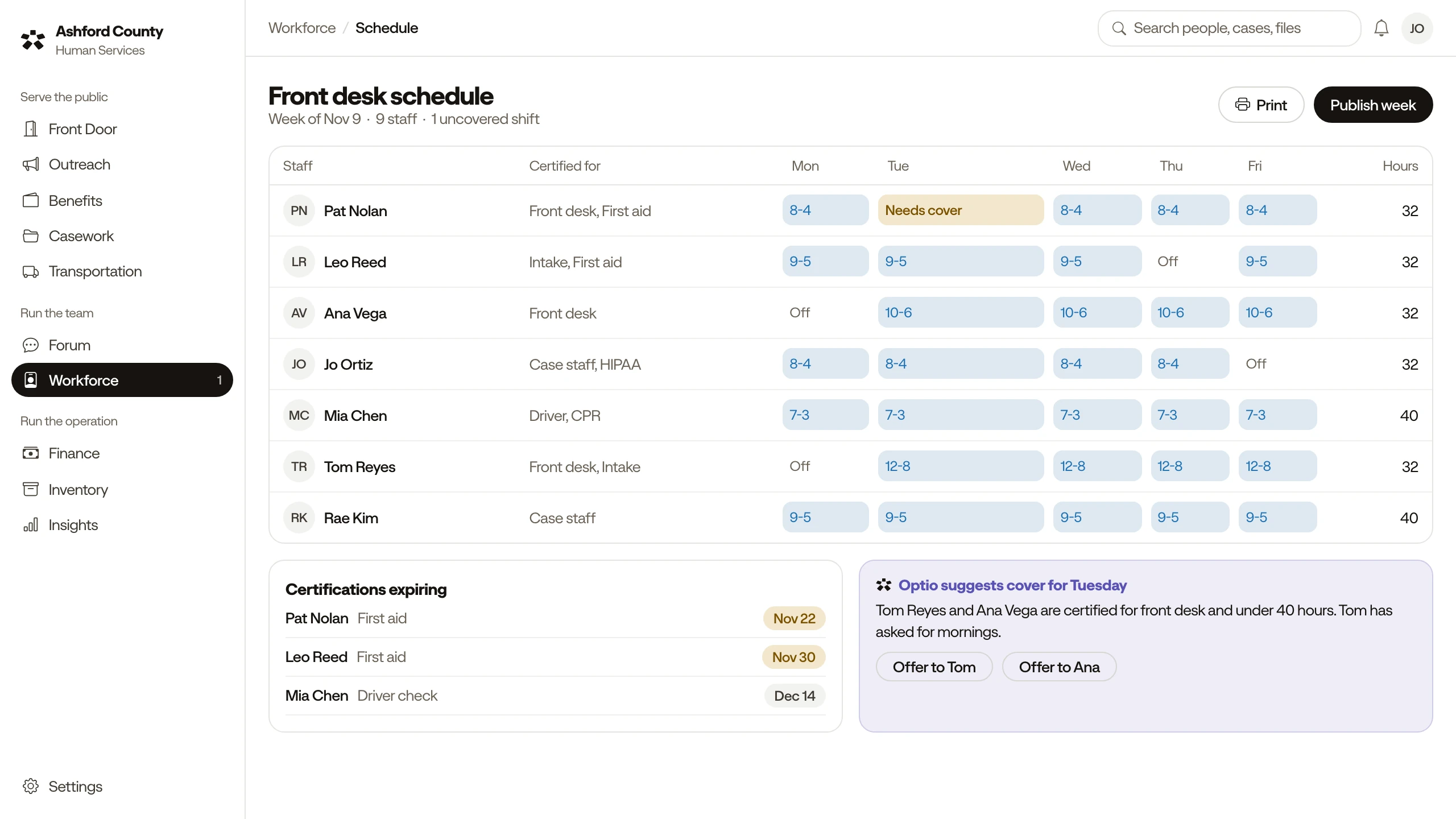
Someone calls out sick, and the morning desk has no cover.
Schedules show the gap and who is trained to fill it.
One day on the schedule
Six moments from one fictional weekday.
07:00
Pat calls out sick, and the front desk is short this morning.
Shift lead
07:10
Optio suggests two trained staff who can cover.
Shift lead picks one
09:00
A new hire starts with logins, paperwork, and training ready.
Hiring manager
11:30
Leo’s first aid renewal is due in November. A session is suggested.
Leo books it
15:00
Next week’s schedule is drafted, with the gaps marked.
Team lead approves
17:00
Time is recorded by program, ready for payroll.
Supervisor signs off
Everything in Workforce
Staff records
Each staff member’s role, contact details, and history.
Hiring and onboarding
Paperwork, equipment, and access ready on day one.
Reviews
Schedule, record, and revisit performance reviews.
Certifications and training
See who is trained for what, with renewal reminders.
Roles and access
Each role sets what a staff member can see and do.
Time and attendance
Time recorded by program, ready for payroll and reports.
Shift scheduling
Build schedules and see gaps at each desk and route.
Works with Insights & Reporting, Finance, and Forum. Optio suggests, and people decide, in every module.